How to see someone's connections on LinkedIn?
Go to the LinkedIn profile page of the person whose contacts you want to see.
Locate "X contacts" in the main section of their profile. If there is a link, click it.
Browse their contacts. LinkedIn takes you to a search results page. Use the filters to find the contacts you are interested in.

How to protect your connections on LinkedIn from theft by competitors
Click the "Me" icon at the top of your LinkedIn page and select "Settings and privacy."
Find the "Visibility" tab
in your settings, select contact visibility and turn it off for maximum privacy.
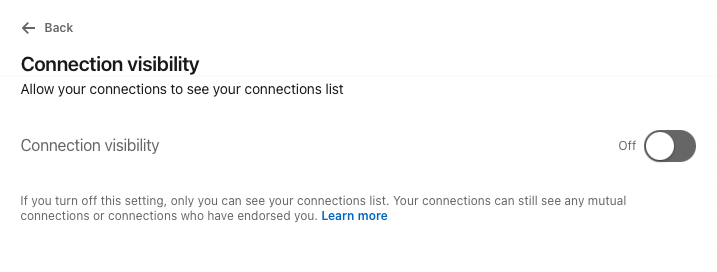
This will block the ability to view contacts on your profile!