
If you run a company that has a wide variety of audiences, it's time to grace your followers with some LinkedIn Showcase Pages.
Companies and brands on LinkedIn have layers and complexity. One parent company may run several different brands with very different audiences. Or one product may have fans who use it in different ways.
Trying to be all things to all people on social media can be overwhelming, though. How do you make sure that what you post is interesting and relevant?
A Showcase Page on LinkedIn can help.
So how do you set up a Showcase Page? In these simple steps you will do it in no time!
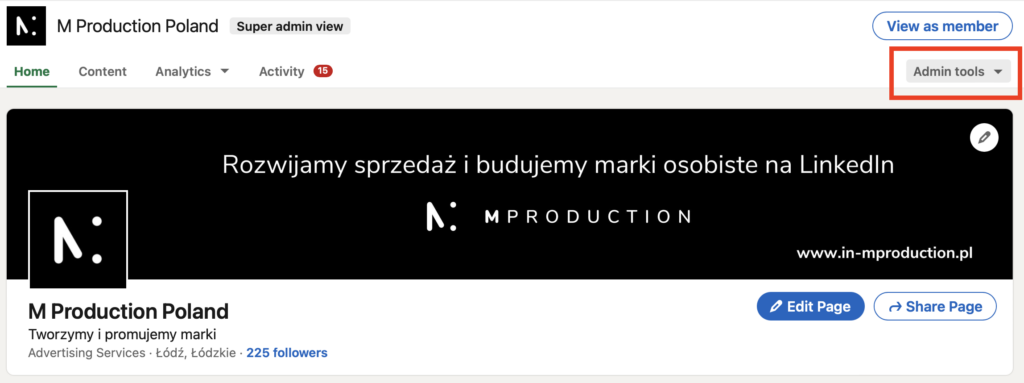
1. go to your Company Page and click on "Admin tools"
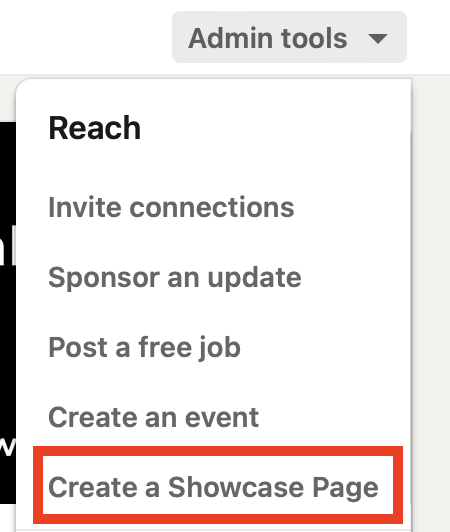
2. select from the list: "Create a Showcase Page".
3. a panel will open to fill in information about the Showcase Site
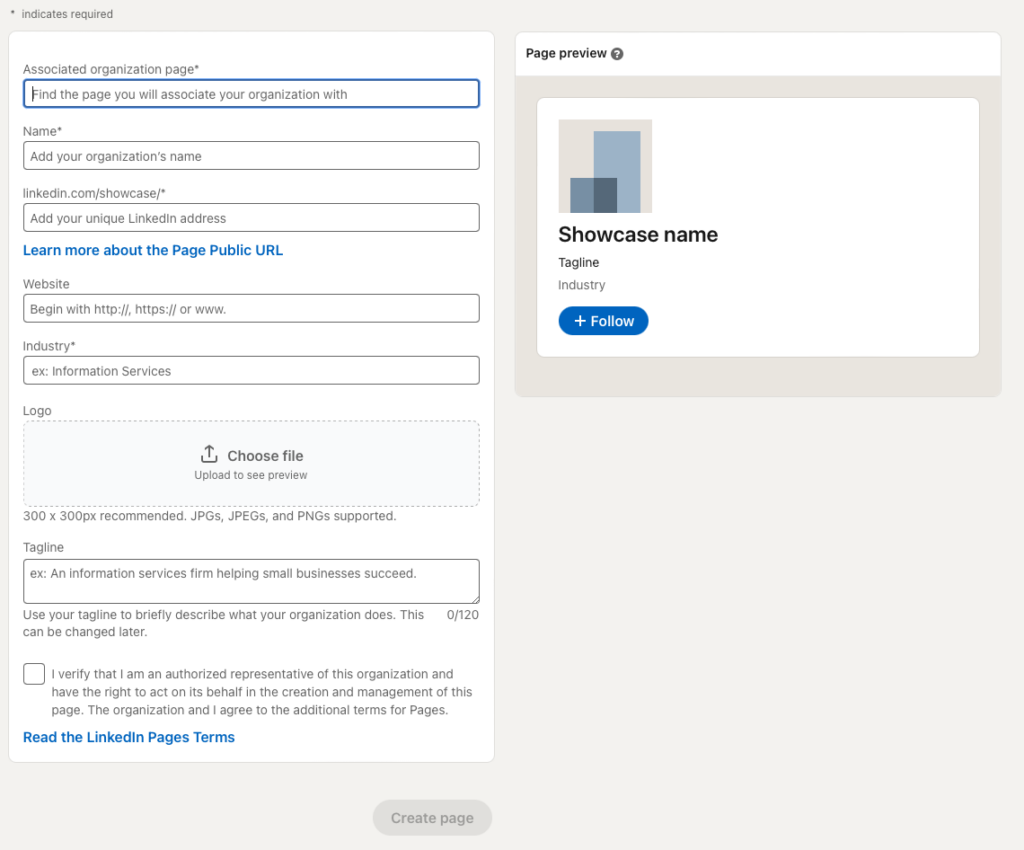
Fill in all the boxes one by one and you're done!
Now you can separate your company's products into as many subpages as you want!