

Analytics options for LinkedIn company page
You can gain insights into the performance of your LinkedIn company page through rich analytics that allow you to assess trends in specific metrics and time periods. Analytics are visible only to administrators of your LinkedIn company page. Viewing your page's analytics allows you to:
Evaluate the effectiveness of your updates, including published videos
Understand more about the demographics and sources of your observers and visitors.
How to get into the analytics of a company website?
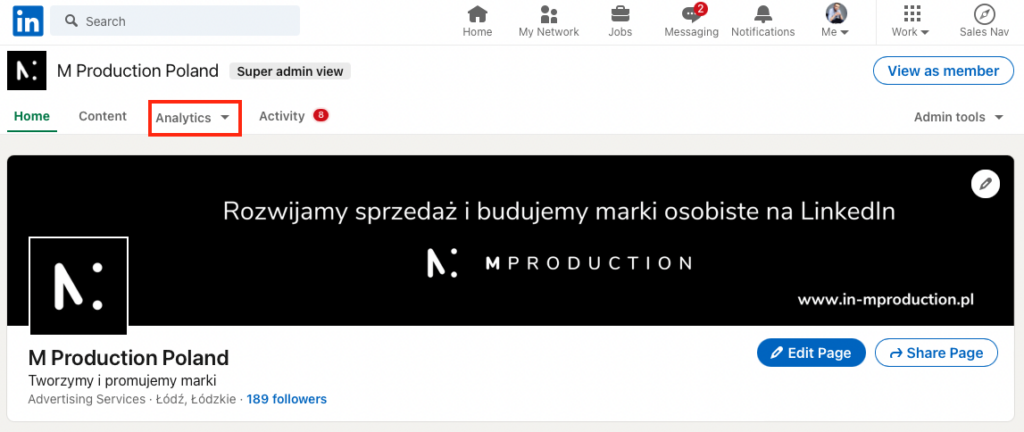
Click the analytics tab, or go to the bottom of the page where analytics is displayed on the left.
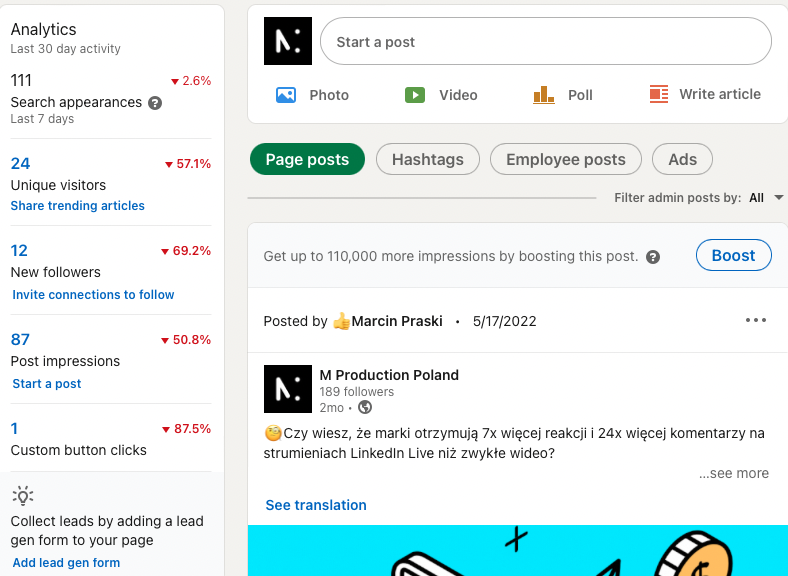
The Analytics module reports the number of unique users, new observers, post views and custom button clicks your site has received in the last 30 days.
The Unique visitors section displays the number of unique visitors who have visited your site in the last 30 days.
When you click the New Followers button, you will be redirected to the follower analysis page.
When you click the Post impressions button, you will be redirected to the analytics page. You can see information about your post's impressions in the Update Metrics and Update Engagement sections.
The bottom section of the Analytics module displays the number of clicks your custom button has received.
With this analytics of your company website, you can track the development of your website and the aspects that your website lacks, all to improve it!



