

LinkedIn is a powerful professional networking platform that allows you to showcase your skills, experience and achievements to potential employers and clients. One of the most important elements of your LinkedIn profile is a section highlighting your work experience and education. These sections help demonstrate your qualifications and give others a sense of what you have to offer.
Adding sections to your LinkedIn profile is a simple process that can be done in just a few steps. Here is a step-by-step guide to help you add sections to your LinkedIn profile:
Step 1: Log in to your LinkedIn account.
To add sections to your LinkedIn profile, you must first log into your account. If you do not have an account, you will need to create one. Once you are logged in, click your profile picture in the upper right corner of the screen to access your profile.
Step 2: Scroll down to the "Add Profile Section" button.
Once you are in the editing tools, scroll down to the bottom of your profile. You will see a button labeled "Add profile section." Click this button to access the option to add new sections to your profile.
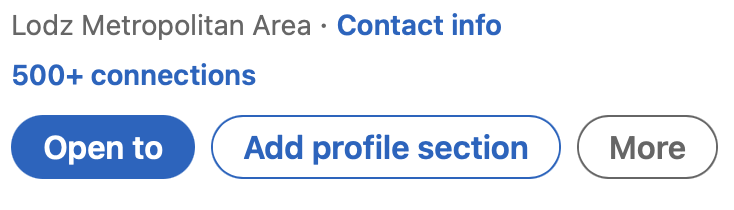
Step 3: Select the section you want to add
When you click on the "Add Profile Section" button, you will be presented with a list of different sections that you can add to your profile. These sections include, but are not limited to:
Work experience: In this section you can list your previous jobs and internships, including the name of the position, the name of the company and the dates you worked there.
Education: In this section you can list your education, including the schools you attended, your degree and graduation dates.
Skills: In this section you can list your skills and knowledge, such as programming languages, tools or software you are proficient in.
Awards: In this section you can list any awards and prizes you have received for your work.
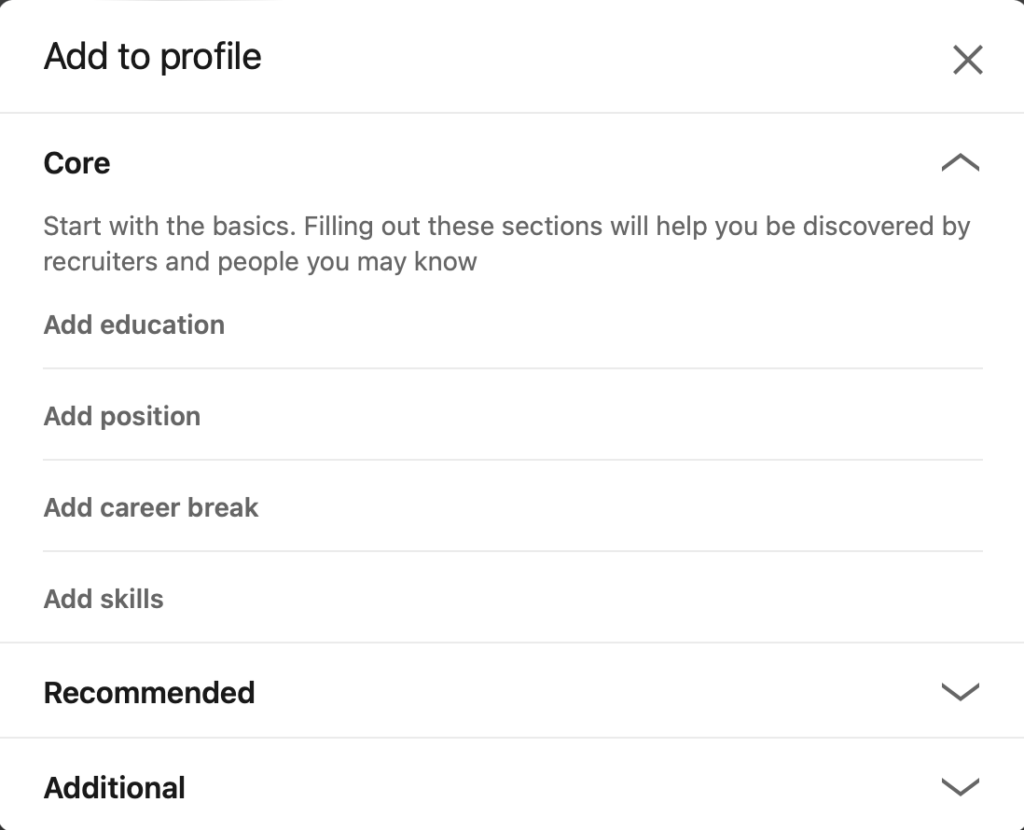
Step 4: Fill in the details of the section
Once you have selected the section you want to add, you will need to fill in the details. For example, if you are adding a section on work experience, you will need to fill in the name of the company, the position and the dates you worked there. Be sure to fill in as much information as possible, as this will help showcase your qualifications and experience.
Step 5: Add additional sections as needed
Once you have added the first section, you can add additional sections as needed. Simply repeat steps 2-4 for each additional section you want to add.
Step 6: Review and publish your profile
Once you've added all the sections you want, be sure to review your profile to make sure everything is accurate and up-to-date. When you are satisfied with your profile, click the "Save" button to publish your profile.
In conclusion, adding sections to your LinkedIn profile is a simple process that can help you showcase your qualifications and experience to potential employers and clients. By following these steps, you can easily add sections to your profile, making it more comprehensive and impressive. Remember to make sure your profile is up-to-date, accurate and make sure to review it before publishing it. With a well-crafted profile, you are sure to stand out among the millions of LinkedIn users and increase your chances of being recruited for your dream job or getting new clients.



