
Adding a recommended section to your LinkedIn profile is a great way to showcase your recommended articles, presentations, websites, courses, licenses, certifications and even recommendations, to potential employers and connections. Follow these steps to add a "Featured" section to your LinkedIn profile:
Step 1: go to your profile on LinkedIn.
Step 2: click the "add profile section" button.
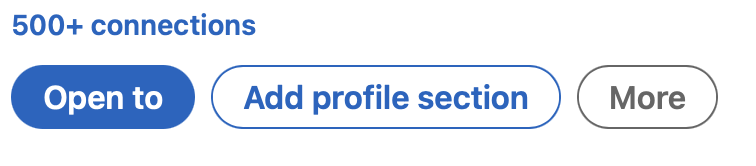
Step 3: select the type of section you want to add, you can choose from: Recommended, Licenses and Certificates, Courses, and Recommendations.
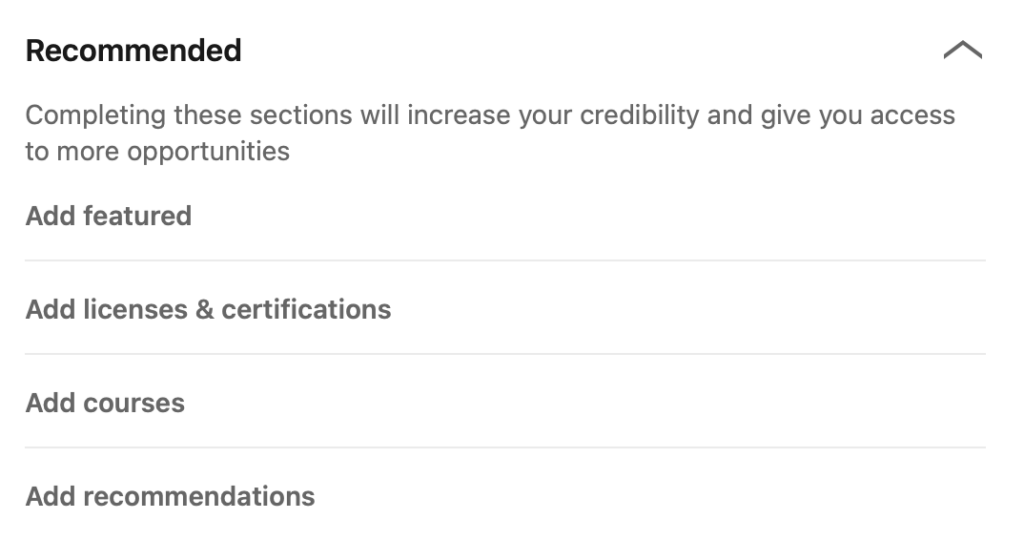
Step 4: complete the information in the section of your choice and enjoy the extra step to fully complete your profile!
If you can't or don't have time to complete your personal profile, contact us and we'll help you! Take a peek at our offer and don't delay! Your profile is your business card after all!



