

The most important thing is to treat your profile on LinkedIn like a Landing Page. The customer is supposed to go to the personal profile and immediately get the most important information that can encourage them to contact or cooperate with your company. The keynote could be a brand claim, it could be some slogan on a background graphic or headline. We are to mesmerize him with a few slogans that he will read first. A personal profile is an advertising space!
Before I start a campaign on my client's account, I first audit their profile. Why? I'm already explaining! A personal profile on LinkedIn is not the same as a Facebook profile or other social media. Unfortunately, many people upload residual information about themselves there - usually their current position, graduate school and a profile picture. However - this is a shot in the knee and misses a huge potential. A professional personal profile is a huge step towards social selling, giving us a chance for growth and brand recognition, as well as building relationships with partners and customers.
Now that the choice of profile and background photo is behind us, let's move on to our profile settings. Let's start with the public profile URL link and its visibility.


Custom URL
The 'Edit your custom URL' option gives us the ability to create a custom URL to our profile. By default, the link to the profile usually ends with a string of random digits. This is where we can change this URL to one that, even before we click on it, will clearly suggest to us where we will be redirected. In my case, I added a phone number at the end.

By using the selected option, we also have the option of including the name of the profession we are dealing with in the linking.
On LinkedIn, we want as much information as possible to be available to people viewing our profile. If we have a specially prepared profile picture, let's show it to the world! Let as much information about us as possible be visible to people hitting our profile. You can set up your profile using the 'edit visibility' option.
HEADLINE
Three or four sentences. Unfortunately, the number of characters there is limited, so think carefully about what you want to communicate in the third, most visible place on your profile. In the place that serves browsers to verify... YOU and your service. A well-constructed headline is as much as 16 times more likely to show up in a search on LinkedIn.
🔔 TIP > Add the keywords you want to be associated with in this section. A LinkedIn user, after typing a specific phrase into a search engine, will be able to track you down based on the keywords in your BIO section.

ABOUT
Answer the questions: Who am I? What do I do for a living? What can I boast about? What do I stand out for? How can I help? What problems does I solve for clients? Why me?
Add your "reason to believe" for customers, call to action and contact.
The 'about' section is another place where we put content targeted to our audience, so it's also a good idea to add keywords here, based on which we will be found via LinkedIn search. The description should be specific, it's worth using bullet points, preceded by an introduction specifying what we do. From the hyphens, we list our competencies. To warm up the image a bit, we can mention interests, for example, at this point.

FEAUTERED
Add there publications, presentations or other ma-terials that you create or that have been created about your company, service. They will make your profile stand out from others.

EXPERIENCE
This is the place for your resume. Enter your previous positions and write what exactly you did for a living. Be sure to add your current position and the tasks you perform. Add keywords or hashtags. Get yourself found!

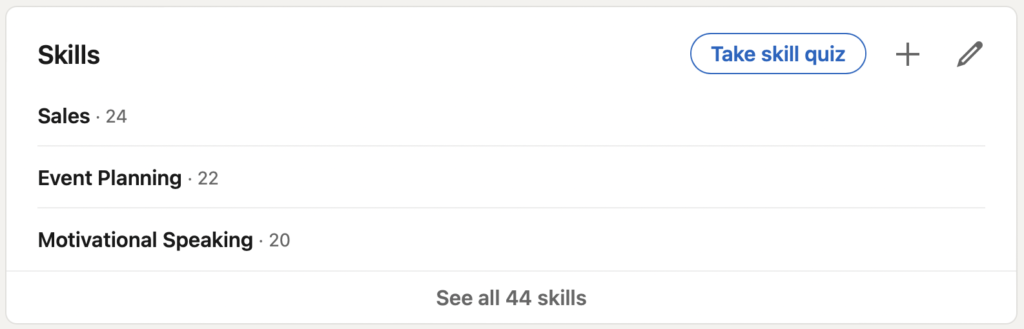
SKILLS
This is another place that can help position your profile. By selecting more than 5 skills, your profile will appear 27 times more often during searches.
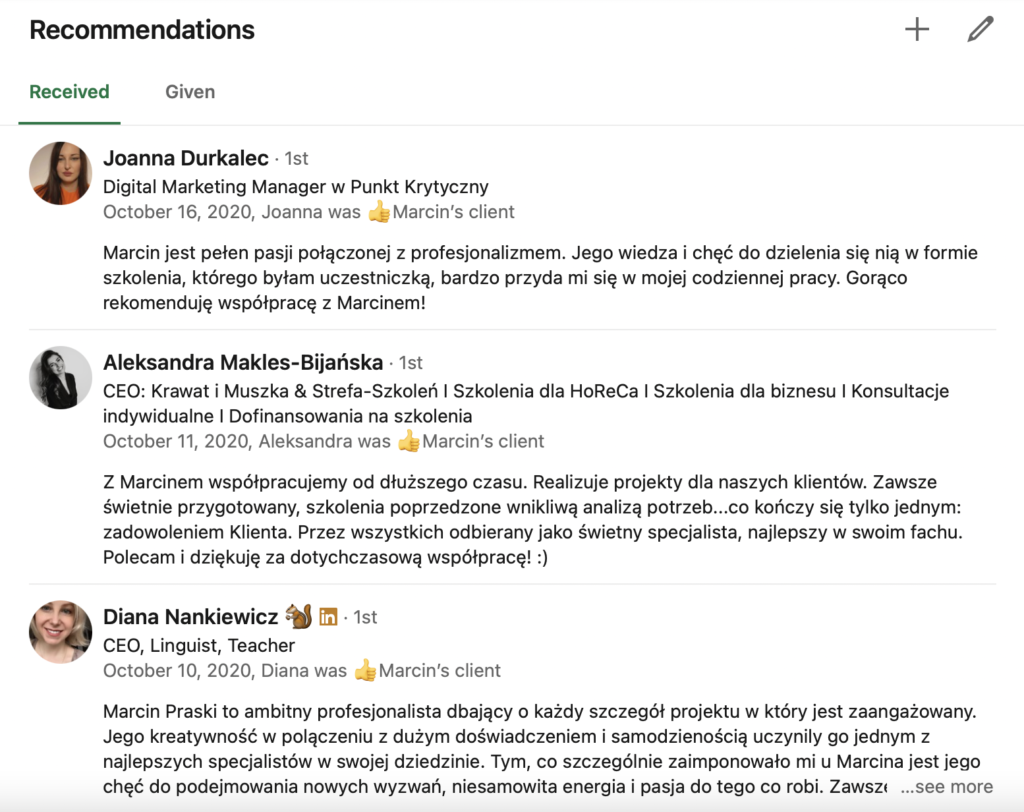
RECOMMENDATIONS
There is nothing better than a positive review of our service, under which the author publicly signs his name. Ask your customers for recommendations!
Additional changes worth making when creating your personal profile are:
KEYWORDS
Describe your profile with words that will make it easier for people to find you. LinkedIn will index the keywords, and this will help others find you faster on LinkedIn in a search engine.
CERTIFICATES AND LICENSES
On LinkedIn you should brag about your certifications and licenses! This way you can show that you are constantly deepening your knowledge, ambitious and competent.
With these tips, your profile on LinkedIn will look professional!



