
Events on Linkedin can be launched either through your personal page or your company page.
In most cases, events are launched through the company's website, especially if they are corporate B2B events.
Step 1:
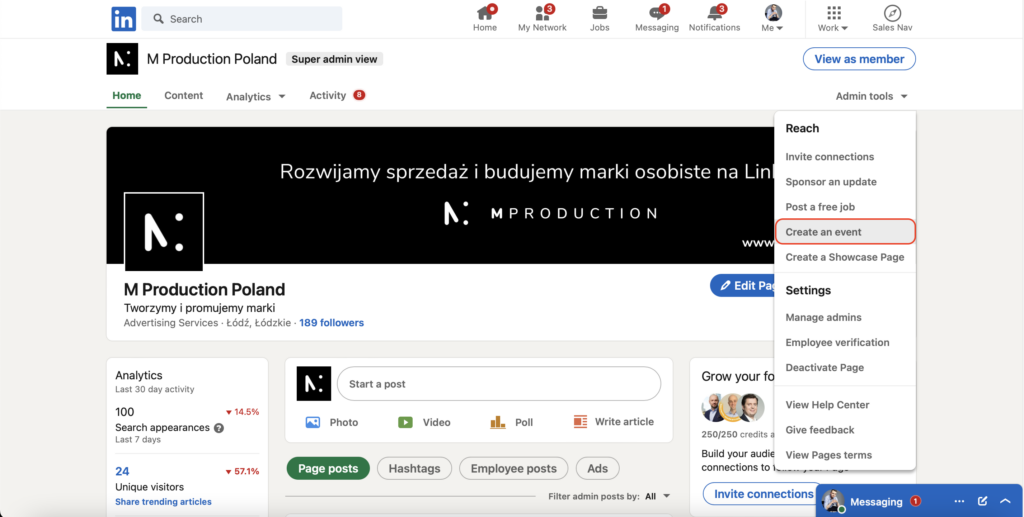
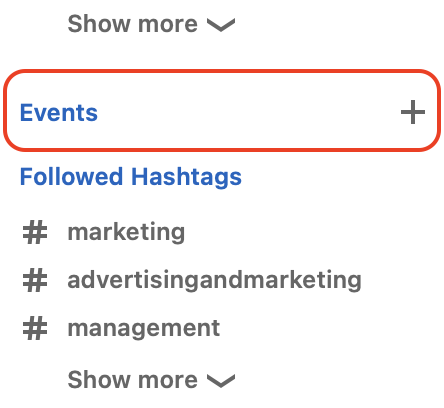
Within the administration view on your LinkedIn company page, click on the "Admin Tools" drop-down. Alternatively, you can also create a personal event from within your profile. Simply go to the events panel on the left side of your Linkedin home screen. The remaining steps are similar.
Step 2:
Within the drop-down list, click on Create Event.
Fill in the event details fields.
Name of the event
Organizer
Is this an online event? If not, you need to add the venue and location.
Broadcast link (Here you can add a link to a third-party broadcast. It is not needed if you are using Linkedin Live).
Timezone
Start date / end date
Event Description
Speakers - You can add enter the name of your speakers and they will be invited. You must be connected to the speaker first.
Ticketing Website - Paste a link to the ticketing website, if applicable.
Event Visibility - This one cannot be changed once selected. So be very sure here.
You can choose whether your event should be public or private.
If your event on Linkedin is public, you will receive the following benefits:
As the name suggests, your event will be searchable by any Linkedin member. This increases your reach and potential audience.
Anyone can attend the event without an invitation. Members can also share the event with their connections.
You can add a registration form to the event to collect additional participant data, such as email ID. If no form has been added, any member can click "Join" and join the event.
Make your event public on Linkedin if the event is a large-scale branding event. Think of it as a public convention where there are no restrictions.
A private event would make more sense for events held nearby. For example, virtual roundtables, customer-only events, VIP events or internal company events.
Step 3:
Once you have finished filling out the event details, click create and your Linkedin event is created. You can share your page, invite your connections, manage participants, and publish content to the event feed. Participants will receive a notification when your event starts.
If your public event has a registration form, you will also be able to download participant details on your Linkedin event page.
If you don't know the benefits of LinkedIn events, click here.



