
What is Account Mapping in Sales Navigator?
It is the process of visually representing data points and relationship dynamics in a potential company.
It is often used by sales professionals to provide an overview of how the organization operates and to help identify key decision makers.
With Account Maps, users can now visualize and identify account gaps and opportunities to influence the right people. You can also view saved and recommended leads in layers 1, 2 and 3 based on activity on LinkedIn.
You can plan and map relationships between accounts, rearrange leads in layers as you see fit, and identify potential account gaps when mapping key stakeholders and influencers.
Access the account map on the account page
When it comes to accessing the account map on your account page, it couldn't be simpler. You only need to follow three simple steps:
Search for the account you are interested in in Sales Navigator, then click to go to the account page.
In the People tab, display the Account Map for the account. You can also view the account map by clicking the account in the account list.
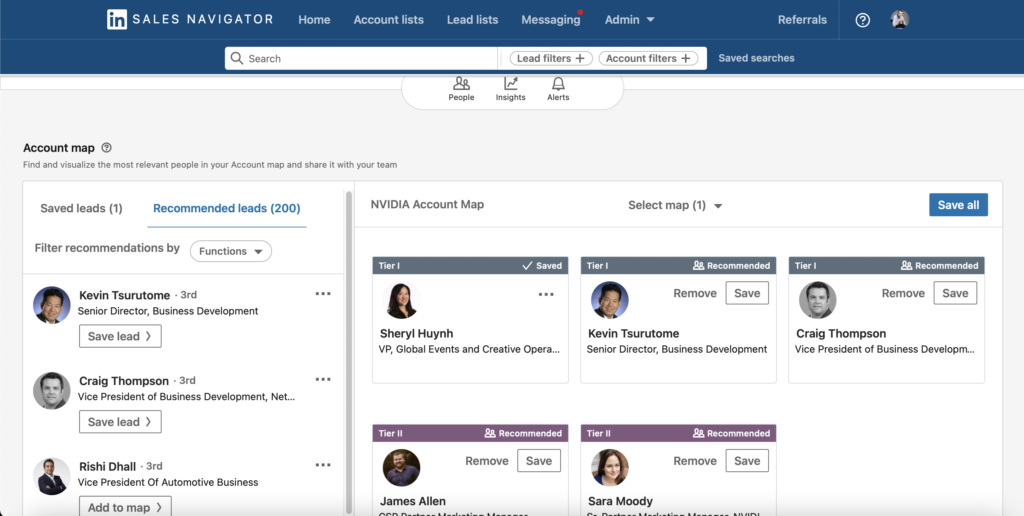
The account map pre-fills a set of 6 leads, prioritizing the leads you have saved.
If you have no saved leads, Account Map selects lead options from your recommended leads.

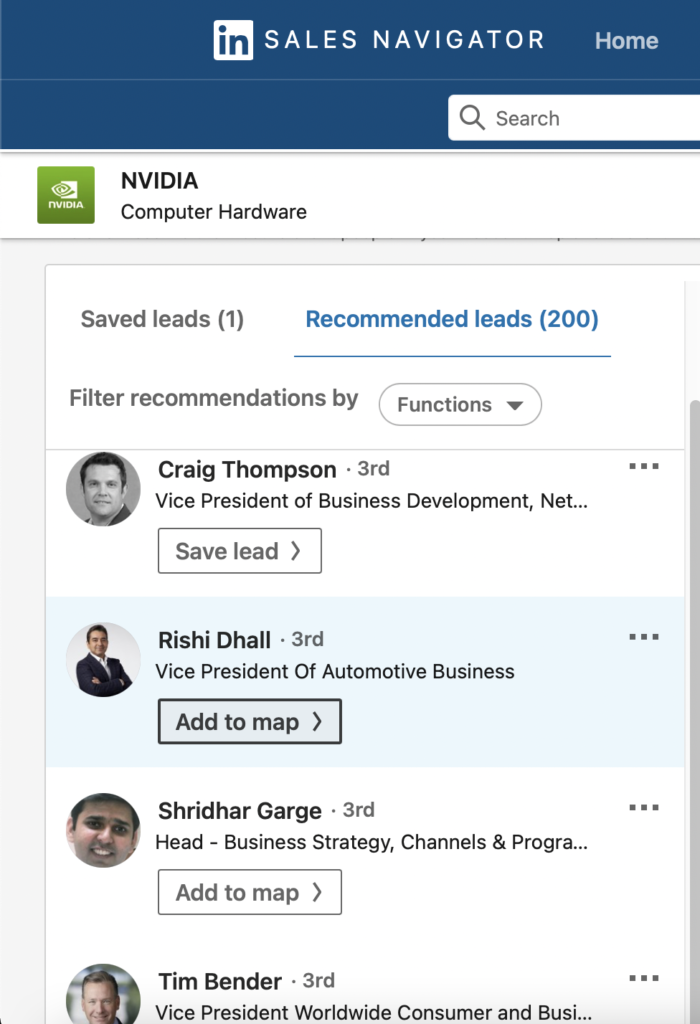
Adding leads to the Account Map
The next step is to add leads to your account map, which is just as easy to do. You start with:
Search for the account you are interested in in Sales Navigator, then click to go to the account page.
In the People tab, you can view the account map for an account.
On the left bar, click the Add to map/Save lead button under the saved lead/recommended lead you want to add to your account map.
You can drag and drop a lead's profile card to one of the 3 levels, and Account Map will add it to the level corresponding to their seniority.
Level 1 includes those in senior management positions, Level 2 represents middle management, and Level 3 represents those in senior management positions.
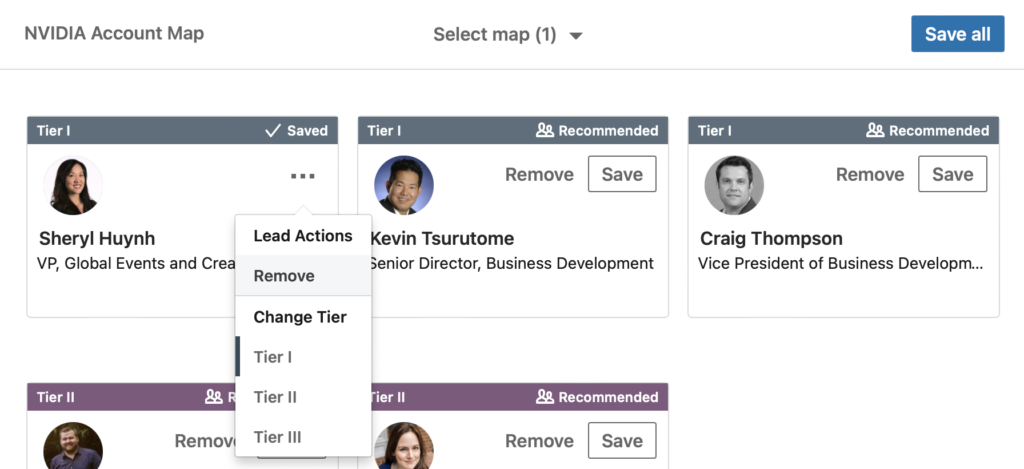
Removing leads from Account Map
The last category is the removal of leads from the account map, to do this you only need:
On the tab of the lead profile you want to delete from Account Map, click Delete.
Account mapping in Sales Navigator is a great tool that can help you find qualified leads, which is why it's so important to use it to its full potential!